You can log in to our site only via STEAM. If you don’t have a STEAM account, please register a free one on the official site steamcommunity.com, then click the button below to log in. Logged-in users have access to many features that make browsing our store more convenient. To purchase plugins, change your IP, or recover a key, logging in is not required.
By logging in to our website, you agree to the terms of our Privacy Policy
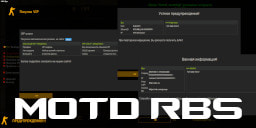
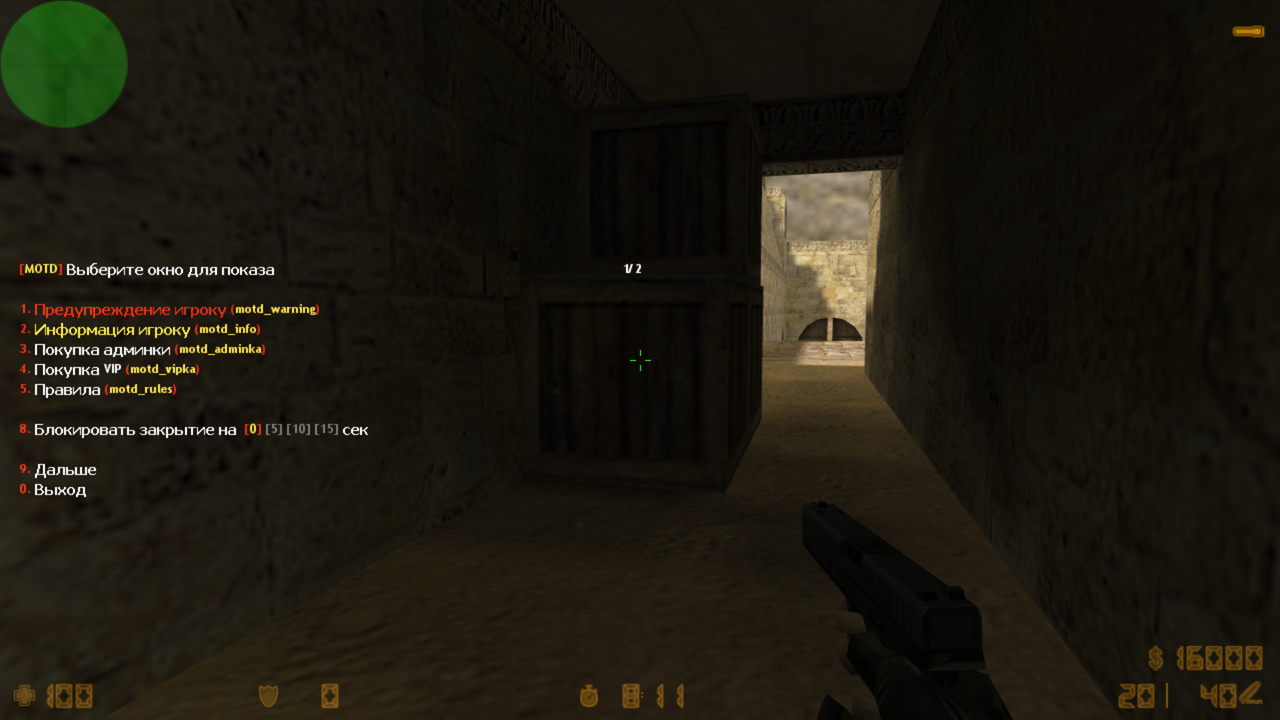
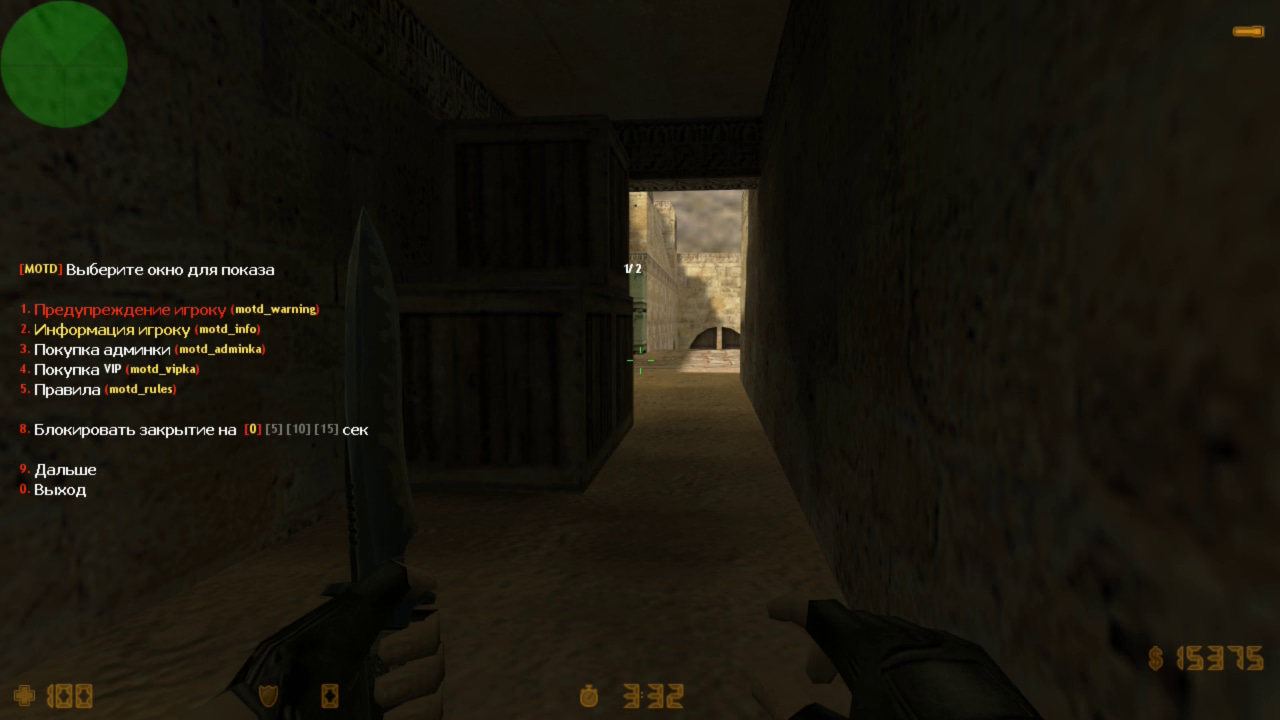
A unique plugin for creating MOTD windows. It allows you to create an unlimited number of windows. They can be opened by regular players, or an admin can forcibly open a window for a player. It even supports blocking closing and has amazing visual effects. A very flexible and functional plugin; here’s a detailed breakdown:
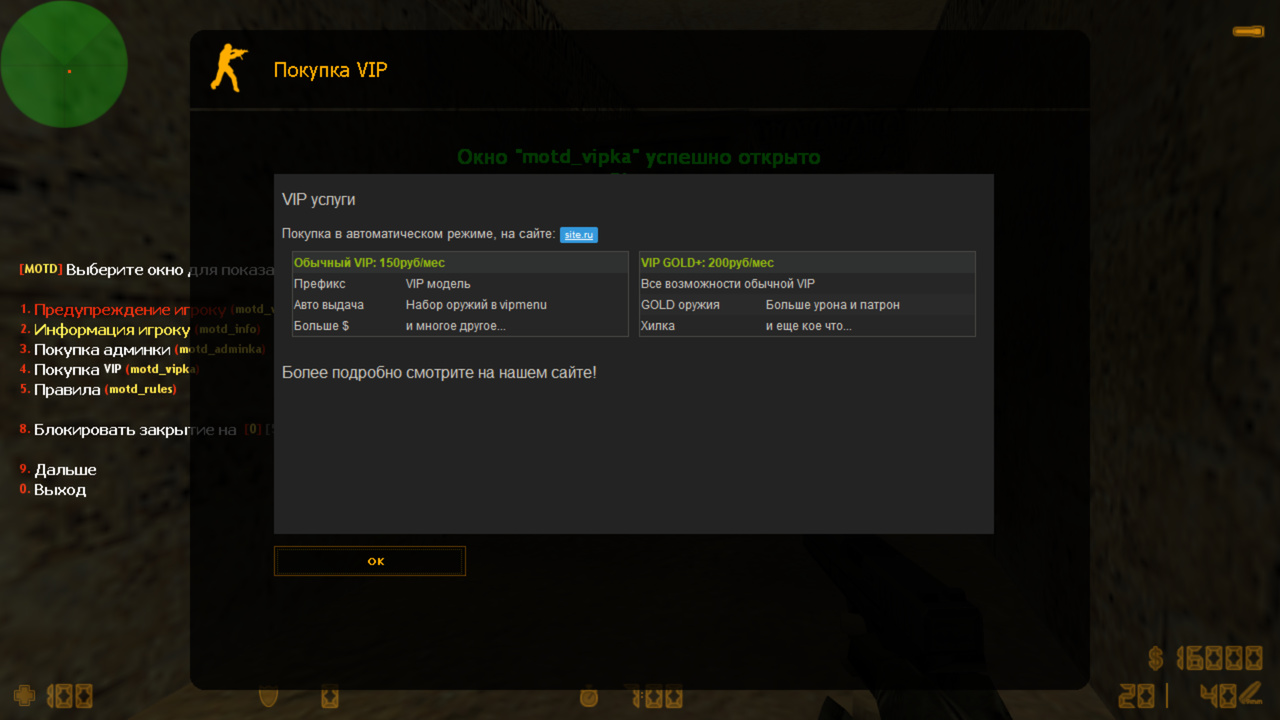
Create custom MOTD. Quick and easy. The config already includes ready-made examples. You can create a window for VIP or admin purchase information, server rules, server commands, or just general information—anything you can imagine. Copy a ready example from the config, modify the text, and you’re done!
Variables. You can include the player’s nickname, server IP, or other data in the MOTD code. The plugin has several built-in variables, and through the API, you can add any custom variable.
FG Style. Supports /style. These styles are used across all our plugins that work with MOTD windows.
Lightweight. The plugin does not store windows in memory and does not read the entire config when showing a single MOTD window. It does not overload the server.
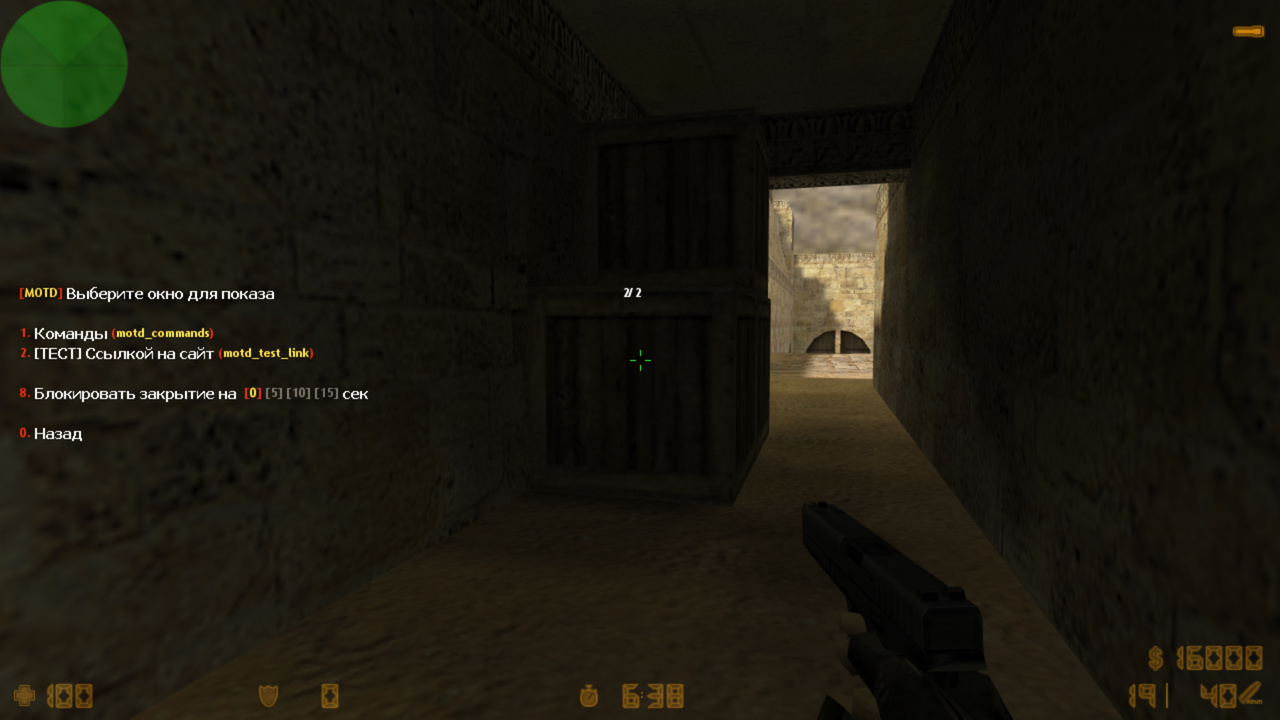
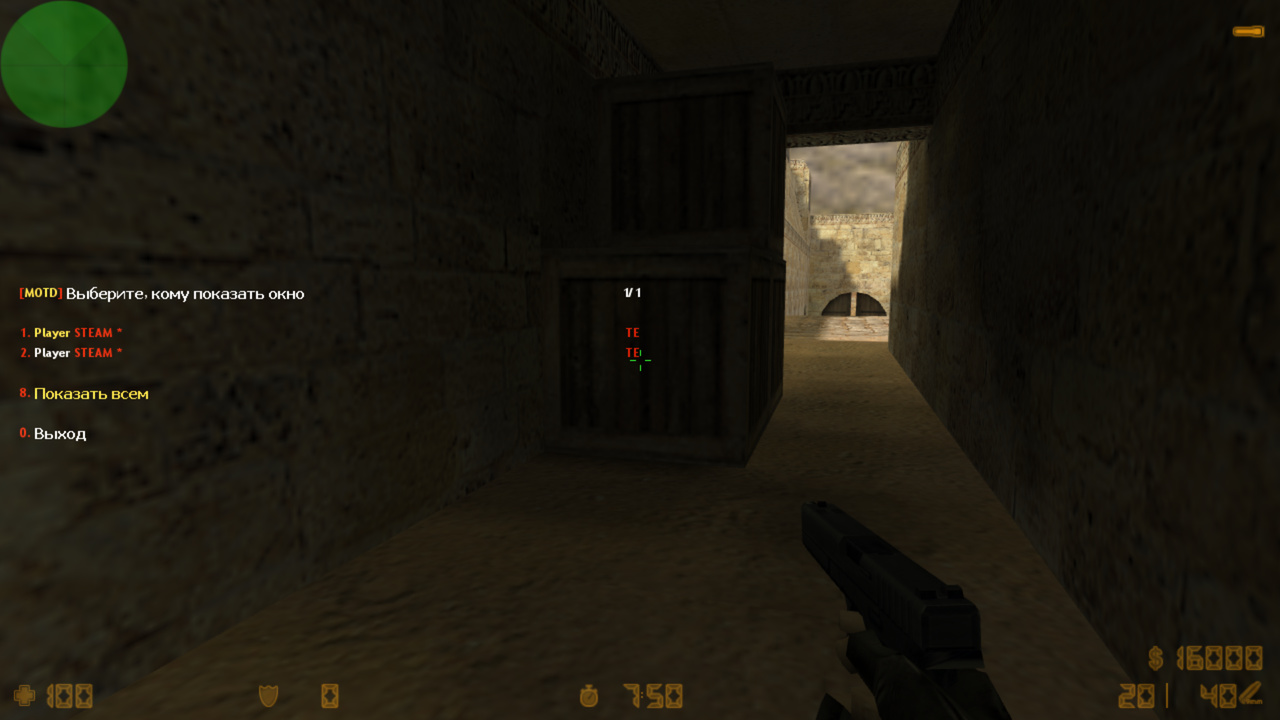
Admin menu. The main feature is forcing a window to open for a player. It uses FG Menu for easy player selection. Many settings are available, like restricting access to certain admins or preventing one admin from showing windows to other admins. You can choose the duration for blocking the window and more. Console command: motd_menu
Block closing. You can forcibly open a window for a player and prevent them from closing it for a set number of seconds, ensuring they read the content!
Effects. Adds visual effects when opening the window, such as sound, screen darkening, and shaking. It looks impressive in action. You can also make the opening sound audible to nearby players. When closing is blocked, the effects help the player intuitively know when the block has ended. A countdown is displayed next to the close button.
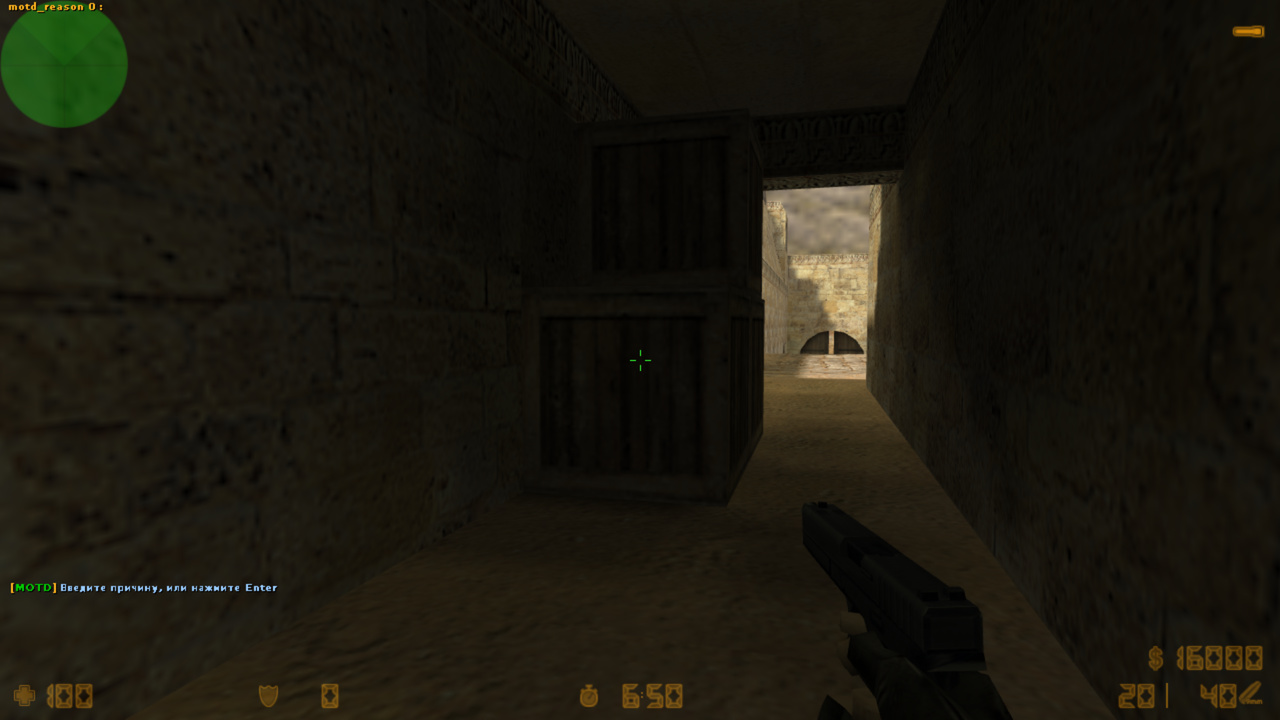
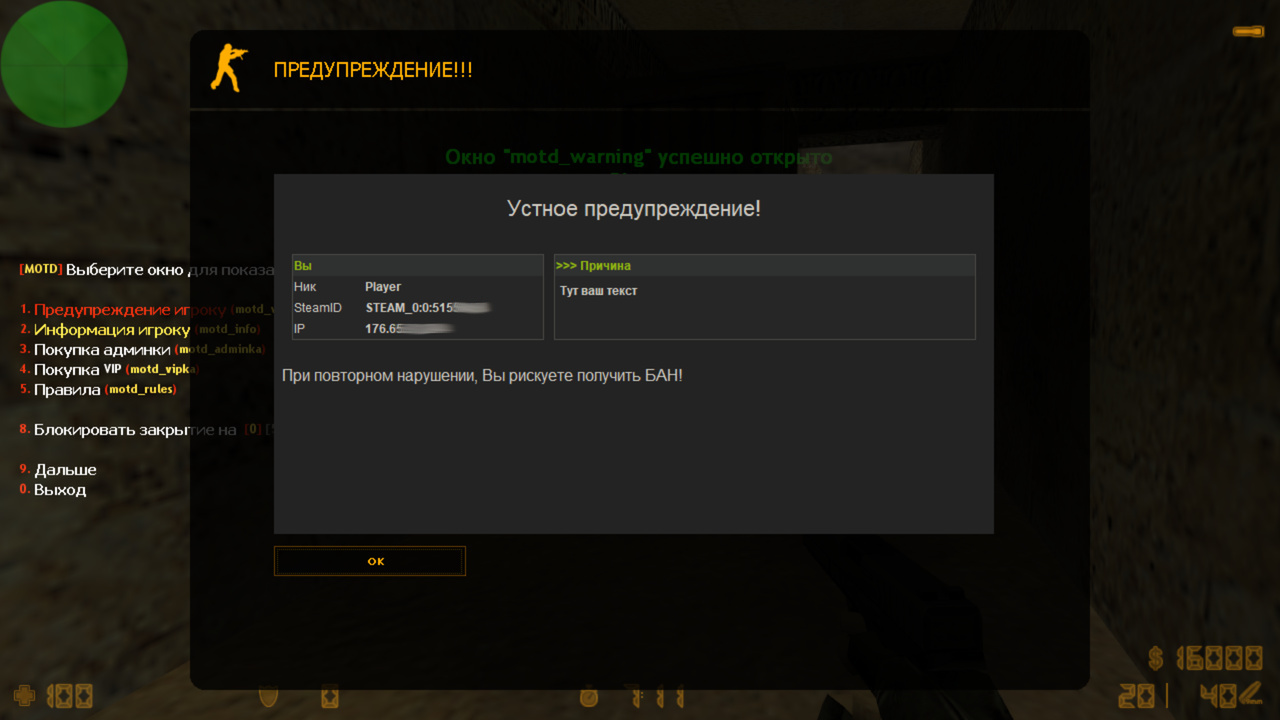
Warnings. Using the %reason% variable in a window, an admin can show a warning with a reason. For example: “Do not insult players! Last warning!” The window can also have a 10-second block to ensure the player reads it.
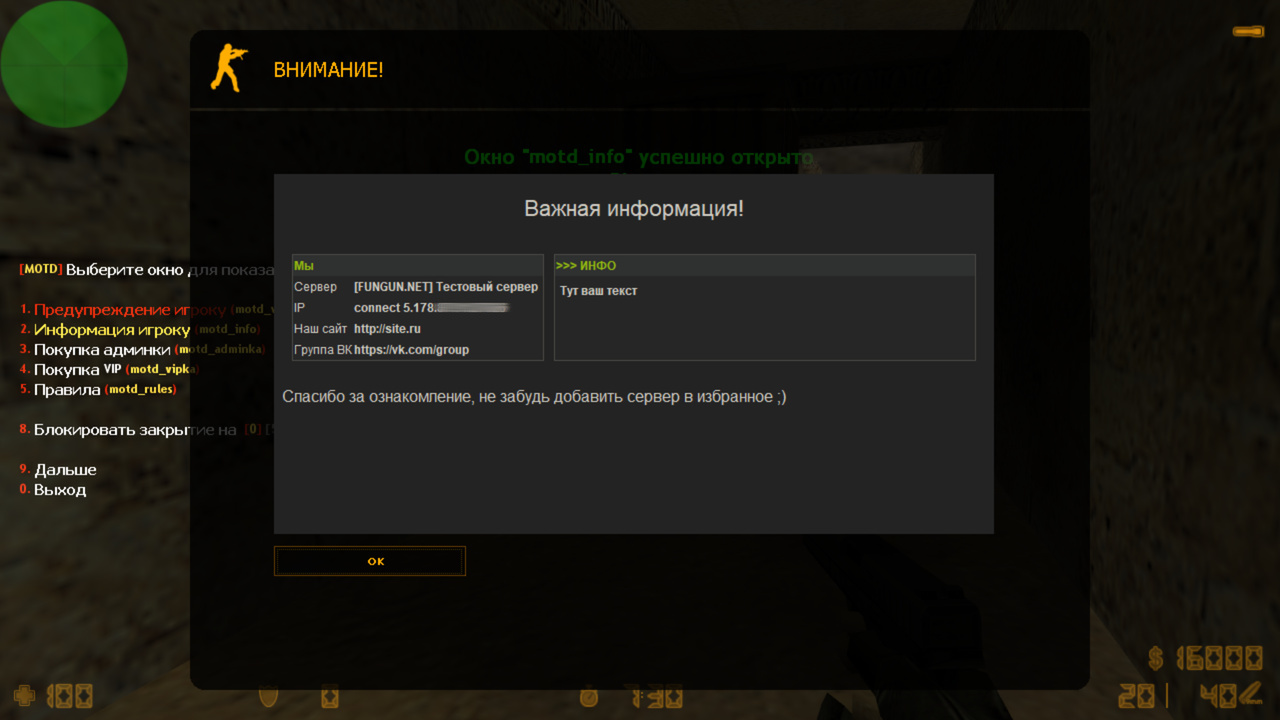
Information. Similar to warnings, you can create informational windows. For example, an admin wants to announce a server restart. Not all players may see the chat message, but with this plugin, the admin opens the menu, selects the info window, enters the text, and clicks “Show to ALL”. Everyone sees it.
Show to all. As mentioned, some windows may need to be shown to all players. This button can also be disabled for certain windows or admins.
Welcome window. Can be modified directly in the plugin. Ready-made examples are included.
Logging and chat info. Admin actions are displayed in chat and controlled via the standard cvar amx_show_mainadmin. Logs are saved in the standard L00000000.log file, showing which admin opened which window, when, and for how long.
Bypass MOTD character limit. CS engine limits MOTD to 1500 characters, but this can be bypassed by hosting HTML remotely, e.g., on your website. The plugin supports this and can send variables via URL encoding. Examples are in the config and documentation.
Automatic minification. Removes extra spaces, line breaks, and tabs automatically. No need to manually shorten config content.
Automatic update. Window settings update automatically when changes are made. No need to change the map.
Window opening methods. Multiple ways to open windows:
Console command. Regular players can open a window themselves, or admins can open windows for others. Can also be integrated into other plugins like AmxModMenu RBS or CmdMenu RBS by adding entries in their menus.
Chat command. Simply typing the command opens the window.
Admin menu. Admins select which player sees the window. The menu is simple and convenient, as described above.
As always, everything is configurable via the config file. It includes detailed, clear comments. Ready-made window examples are provided; you only need to adjust the text and optionally your own website link.
25.12.01 - обновить ВСЕ ФАЙЛЫ
- релиз бета версии
25.01.26BETA - обновить .amxx
- исправлено чтение lang файла (баг прошлой версии)
24.10.10BETA - обновить ВСЕ ФАЙЛЫ
- обновлено ядро плагина
- добавлена полная мультиязычность, даже в конфигах (серверная команда fg_lang)
- исправлен баг с %statsx_rankstats% при входе на сервер
22.12.08BETA - обновить .amxx и .cfg
- обновлено ядро
- исправили баг, когда игрок мертв, то со стороны были слышны звуки открытия мотд окна
- добавили переменные %statsx_top15% и %statsx_rankstats% от плагина Statsx Unlimited. Позволяют тем самым при входе например открыть статистику игроку

21.03.23 - обновить .amxx и .cfg
- релиз бета версии, юзерам беты достаточно обновить .amxx
20.10.24BETA - обновить .amxx
- исправлен баг в меню, когда на кнопку "далее" возвращало в главное меню
20.09.25BETA - обновить .amxx и .cfg
- добавлена возможность ставить приветственные мотд при заходе на сервер (флаг "c" добавить в настройки окна, смотрите примеры)
- можно теперь показывать статистику игрока при заходе на сервер (с помощью php скрипта)
- добавлена возможность указывать блокировку закрытия для каждого окна по умолчанию (флаг "b" добавить в настройки окна)
- добавлен квар motd_cfg_default_seconds (для предыдущей настройки)
- добавлена возможность отключить эффекты на определенном окне (флаг "e" добавить в настройки окна)
- добавлена возможность скрыть окно из меню админа (флаг "h" добавить в настройках окна)
- добавлена возможность указывать переменные в заголовок окна
- теперь в меню выбора игрока, пункт "0. Выход" перебрасывает назад в главное меню

20.08.15 - обновить .amxx
- исправлен баг с рекурсией, обязательно обновиться!

20.08.12 - релиз
Category
Administrator
To see the plugin in action, go to the "Find a server with this plugin" section in the menu
// Лицензионный ключ вводить в файл amxmodx/data/fg_keys.ini (если файла нет, он создастся сам при рестарте/смены карты сервера)
// Вести логирование действий админов?
motd_cfg_logs "1"
// Включить отладку?
// Будет писать в консоль кол-во символов открытого MOTD
motd_cfg_debug "0"
// Перед показом MOTD игроку, удалять лишние пробелы и табуляции в коде, чтобы сократить кол-во символов
// 0 - отключить
motd_cfg_minify "1"
// Флаг доступа к команде motd_reload
// Настройки окон обновляются автоматически, если были сделаны изменения
// Нет необходимости менять карту, если сделали изменение в коде окна
// Однако, если изменения не произошли, Вы можете прописать в консоль команду motd_reload
// 0 - отключить эту команду
motd_cfg_reload "l"
// Флаг админа для доступа к меню motd_menu
// 0 - отключить это меню
motd_cfg_access "d"
// Флаг иммунитета
// Игрокам с этим флагом, админ не сможет показывать MOTD окна
motd_cfg_immunity "a"
// Админ с этим флагом сможет показывать окна игрокам с иммунитетом
// Можно указывать несколько флагов, например lmd:
// Админ с флагом "l" может показывать окно админам с флагом "m", а они могут только админам с флагом "d". Админы с флагом "d" могут показывать всем остальным, у кого нет иммунитета.
motd_cfg_mainadmin "l"
// Флаг админа, имеющий доступ к кнопке в меню "Показать всем"
// 0 - имеют доступ все админы
motd_cfg_showall "0"
// Количество пунктов на странице в меню
// Уменьшите, если не влезают пункты в меню
// Максимум 7
motd_cfg_items "5"
// Игрок не сможет закрыть окно, в течении нескольких секунд. Эти секунды выбирает админ в меню.
motd_cfg_seconds "0 5 10 15"
// На сколько секунд блокировать окно, если у окна стоит флаг "b"
motd_cfg_default_seconds "3"
// Частота в секундах, для повторного показа MOTD (чтобы игрок не смог закрыть его)
motd_cfg_freq "0.5"
// Включить эффекты при открытии MOTD
// Первый квар для простых окон, второй для окон с блокировкой закрытия
// Так игрок визуально поймет, когда окно можно уже закрывать
// "a" - затемнение экрана (только для окон с блокировкой)
// "b" - тряска экрана
// "c" - звук открытия
// "d" - звук будет исходить от игрока (со стороны люди его тоже услышат)
// "e" - HUD с отсчетом (только для окон с блокировкой)
motd_cfg_effects_normal "abcd"
motd_cfg_effects_blocks "abcde"
// Путь до звука открытия окна
// Можно использовать только .wav файлы
// Полный путь до звука:
// cstrike/sound/папка/звук.wav - звук будет закачан клиенту
// valve/sound/папка/звук.wav - стандартные звуки, есть у всех клиентов, поэтому закачиваться не будет
motd_cfg_sound "valve/sound/buttons/button1.wav"
// Название сервера. Нужно для отображения в переменной %hostname%
// Если не указывать, то возьмет реальное название сервера
motd_var_hostname ""
// IP адрес сервера. Нужно для отображения в переменной %hostip%
// Если не указывать, то возьмет цифровой айпи адрес сервера
motd_var_hostip ""
////////////////////////
// Создание MOTD окон //
////////////////////////
// Формат: [идентификатор] "чат команда" "флаги доступа" "заголовок" "описание" "тип"
// [идентификатор]
// придумайте уникальный идентификатор для этого motd окна
// этот идентификатор еще будет служить консольной командой для вызова окна
// "чат команда"
// будет служить как аналог консольной команды
// можно не указывать
// пример: "/adminka" (введя в чат /adminka, юзер увидит данное окно)
// "флаги доступа"
// кто из админов может показывать это окно игрокам?
// если указать несколько флагов, то доступ получит тот, кто имеет хотя бы один флаг
// "0" - чтобы запретить показывать это окно игроку принудительно
// "1" - админ с флагом motd_cfg_access
// "заголовок"
// будет отображаться в шапке MOTD окна
// "описание"
// название пункта в меню motd_menu (можно использовать символы цвета: \w \r \y)
// "тип"
// можно не указывать
// "a" - обычный игрок не сможет вызвать окно через консольную команду
// "b" - окно нельзя будет закрыть в течении motd_cfg_default_seconds
// "c" - окно приветсвия, будет показано при коннекте на сервер (если указан этот флаг на нескольких окнах, то юзеру будет показано случайное окно)
// "d" - выключить окно (чтоб в конфиге все не комментировать, достаточно указать этот флаг)
// "e" - отключить эффекты для этого окна
// "h" - скрыть окно из меню (можно вызвать только через чат или консоль)
// "u" - запретить это окно показывать всем(отключить кнопку в меню "Показать всем")
// Далее вставляете HTML код motd окна
// Учтите, что кс ограничивает размер мотд на 1533 символа (русские символы считаются за два)
// HTML код больше этого значения просто обрежется
// А еще учтите, что вместо переменных подставляются значения, которые разумеется занимают тоже место в финальном коде окна
// Вместо кода, можно просто указать ссылку на страницу, тогда ограничений на кол-во символов в коде не будет
// В ссылку можно вставлять переменные ниже, чтобы передать необходимые данные в скрипт на Вашем сайте
// Длина строки в этом файле, не должна превышать 512 символов
////////////////
// ПЕРЕМЕННЫЕ //
////////////////
// В html код можно вставить переменные, представленные ниже
// Вместо них конечный юзер увидит соответствующие им значения
// %name% - ник игрока
// %ip% - IP игрока
// %authid% - стим айди игрока
// %hostname% - название Вашего сервера
// %hostip% - IP адрес Вашего сервера
// %reason% - преобразуется в текст, который введет администратор при показе окна игроку (максимум 128 символов)
// %style% - получить html код подключения стиля, который выбрал юзер в /style. Эти стили используются во многих FunGun плагинах, настраиваются они в style.ini (~150 символов)
// %stylename% - получит просто название стиля из style.ini
// Если не хватает переменных, Вы можете добавить абсолютно любые сами, благодаря API (подробнее в motd_rbs.inc)
////////////////
// ВЫЗОВ ОКНА //
////////////////
// 1. Через консольную команду(идентификатор)
// просто вписать в консоль придуманный Вами идентификатор, например motd_adminka
// можно использовать команду в таком формате: motd_adminka "#userid or Name or SteamID or IP or all" "seconds" "reason"
// то есть, указав игрока, мотд откроется ему
// или указать "all", чтобы открыть всем игрокам
// "seconds" это на сколько секунд блокировать закрытие окна, оно не может быть больше, чем указано в настройках
// так же, если в окне присутствует переменная %reason%, то можно писать третьим аргументом и причину
// 2. Через чат
// при регистрации меню, Вы придумываете чат команду, для его вызова, например /adminka
// через чат команду, игрок может открыть окно только себе
// 3. Через меню motd_menu
// игрок с необходимым флагом, может открыть меню со всеми доступными ему окнами, и там уже выбирать кому и на сколько секунд показывать
// ================================================================================================
// СПИСОК ОКОН ====================================================================================
// ================================================================================================
// Окно с предупреждением
// Админ с флагом "c" покажет это окно через motd_menu нужному юзеру
// В коде окна стоит переменная %reason%, то есть при показе окна, админ должен будет ввести причину, которая и отобразится вместо этой переменной
// Чат команда для данного окна не нужна, так как его может показать только админ
// Так же флаг "u" запрещает админам показывать это окно ВСЕМ игрокам сразу
[motd_warning] "" "c" "ПРЕДУПРЕЖДЕНИЕ!!!" "\rПредупреждение игроку" "au"
<!DOCTYPE HTML>
<html lang="ru">
<head>
<meta charset="utf-8">
<style>table{width:100%;line-height:160%;}</style>
%style%
</head>
<body>
<center><p style="font-size:22px;">Устное предупреждение!</p></center>
<table cellspacing="10" cellpadding="0">
<tr>
<td width="36%" valign="top" class="q">
<table cellspacing="0">
<tr><th colspan="2">Вы</th></tr>
<tr ><td>Ник</td> <td><b>%name%</b></td></tr>
<tr class="b" ><td>SteamID</td> <td><b>%authid%</b></td></tr>
<tr ><td>IP</td> <td><b>%ip%</b></td></tr>
</table>
</td>
<td width="60%" valign="top" class="q">
<table cellspacing="0">
<tr><th>>>> Причина</th></tr>
<tr><td style="padding:5px;"><b>%reason%</b></td></tr>
</table>
</td>
</tr>
</table>
<p>При повторном нарушении, Вы рискуете получить БАН!</p>
</body>
</html>
// Окно с информацией
// Админ с флагом "c" покажет это окно через motd_menu нужному юзеру
// В коде окна стоит переменная %reason%, то есть при показе окна, админ должен будет ввести текст, который и отобразится вместо этой переменной
// Чат команда для данного окна не нужна, так как его может показать только админ
[motd_info] "" "l" "ВНИМАНИЕ!" "\yИнформация игроку" "a"
<!DOCTYPE HTML>
<html lang="ru">
<head>
<meta charset="utf-8">
<style>table{width:100%;line-height:160%;}</style>
%style%
</head>
<body>
<center><p style="font-size:22px;">Важная информация!</p></center>
<table cellspacing="10" cellpadding="0">
<tr>
<td width="36%" valign="top" class="q">
<table cellspacing="0">
<tr><th colspan="2">Мы</th></tr>
<tr ><td>Сервер</td> <td><b>%hostname%</b></td></tr>
<tr class="b" ><td>IP</td> <td><b>connect %hostip%</b></td></tr>
<tr ><td>Наш сайт</td> <td><b>http://site.ru</b></td></tr>
<tr class="b" ><td>Группа ВК</td> <td><b>https://vk.com/group</b></td></tr>
</table>
</td>
<td width="60%" valign="top" class="q">
<table cellspacing="0">
<tr><th>>>> ИНФО</th></tr>
<tr><td style="padding:5px;"><b>%reason%</b></td></tr>
</table>
</td>
</tr>
</table>
<p>Спасибо за ознакомление, не забудь добавить сервер в избранное ;)</p>
</body>
</html>
// Покупка админки
// Покажет окно с юзеру, с информацией о покупке админки
// Введя в чат /adminka, юзеру откроется окно со всей информацией о покупки админки
// Так же админ с флагом, указанным в кваре motd_cfg_access, сможет показать это motd окно любому юзеру, через меню motd_menu
[motd_adminka] "/adminka" "1" "Покупка админки" "Покупка админки" ""
<!DOCTYPE HTML>
<html lang="ru">
<head>
<meta charset="utf-8">
<style>
table{width:100%;line-height:160%;}
.label{background:#3498db;padding:.2em .6em .3em;font-size:75%;color:#fff;border-radius:.25em;}
</style>
%style%
</head>
<body>
<p>Админка и ее возможности</p>
<table cellspacing="0" class="q">
<tr ><th colspan="2">Покупка в автоматическом режиме, на сайте: <a class="label" href="http://site.ru">site.ru</a></th></tr>
<tr ><td>Удобное меню</td> <td>Кик, Бан, Гаг</td></tr>
<tr class="b" ><td>Префикс в чате</td> <td>Модель админа</td></tr>
<tr ><td>Оружейка</td> <td>Инструменты для ловли читеров</td></tr>
<tr class="b" ><td>Админ чат</td> <td>Иммунитет</td></tr>
<tr ><td colspan="2"> </td></tr>
<tr class="b" ><td colspan="2">Остальные возможности расписаны на нашем сайте</td></tr>
</table>
</body>
</html>
// Покупка VIP. Информация о покупке випки.
[motd_vipka] "/vipka" "1" "Покупка VIP" "Покупка VIP" ""
<!DOCTYPE HTML>
<html lang="ru">
<head>
<meta charset="utf-8">
<style>
table{width:100%;line-height:160%;}
.label{background:#3498db;padding:.2em .6em .3em;font-size:75%;color:#fff;border-radius:.25em;}
</style>
%style%
</head>
<body>
<p>VIP услуги</p>
<div style="font-size:13px;">Покупка в автоматическом режиме, на сайте: <a class="label" href="http://site.ru">site.ru</a></div>
<table cellspacing="10" cellpadding="0">
<tr>
<td width="48%" valign="top" class="q">
<table cellspacing="0">
<tr><th colspan="2">Обычный VIP: 150руб/мес</th></tr>
<tr ><td>Префикс</td> <td>VIP модель</td></tr>
<tr class="b" ><td>Авто выдача</td> <td>Набор оружий в vipmenu</td></tr>
<tr ><td>Больше $</td> <td>и многое другое...</td></tr>
</table>
</td>
<td width="48%" valign="top" class="q">
<table cellspacing="0">
<tr><th colspan="2">VIP GOLD+: 200руб/мес</th></tr>
<tr ><td colspan="2">Все возможности обычной VIP</td></tr>
<tr class="b" ><td>GOLD оружия</td> <td>Больше урона и патрон</td></tr>
<tr ><td>Хилка</td> <td>и еще кое что...</td></tr>
</table>
</td>
</tr>
</table>
<p>Более подробно смотрите на нашем сайте!</p>
</body>
</html>
// Правила сервера
[motd_rules] "/rules" "1" "Правила сервера" "Правила" ""
<!DOCTYPE HTML>
<html lang="ru">
<head>
<meta charset="utf-8">
<style>
table{width:100%;line-height:160%;}
.label{background:#3498db;padding:.2em .6em .3em;font-size:75%;color:#fff;border-radius:.25em;}
.c{background:#d52927;width:7px;height:7px;border-radius:50%;display:inline-block;margin:0 5px;}
</style>
%style%
</head>
<body>
<p>Основные правила нашего сервера!</p>
<table cellspacing="0" class="q">
<tr ><th>#</th> <th>Наказание</th></tr>
<tr ><td><b class="c"></b> Не читерить!</td> <td>BAN</td></tr>
<tr class="b" ><td><b class="c"></b> Не кемперить!</td> <td>SLAY</td></tr>
<tr ><td><b class="c"></b> Микрофон 16+</td> <td>GAG</td></tr>
<tr class="b" ><td><b class="c"></b> Не оскорблять игроков</td> <td>GAG/KICK/BAN</td></tr>
<tr ><td><b class="c"></b> Не флудить</td> <td>GAG</td></tr>
<tr class="b" ><td><b class="c"></b> Не юзать баги</td> <td>BAN</td></tr>
<tr ><td colspan="2"> </td></tr>
<tr class="b" ><td colspan="2">Жалобы направлять в соответствующий раздел на нашем сайте: <a class="label" href="http://site.ru">site.ru</a>. Там же много другой полезной инфы.</td></tr>
</table>
</body>
</html>
// Основные команды сервера
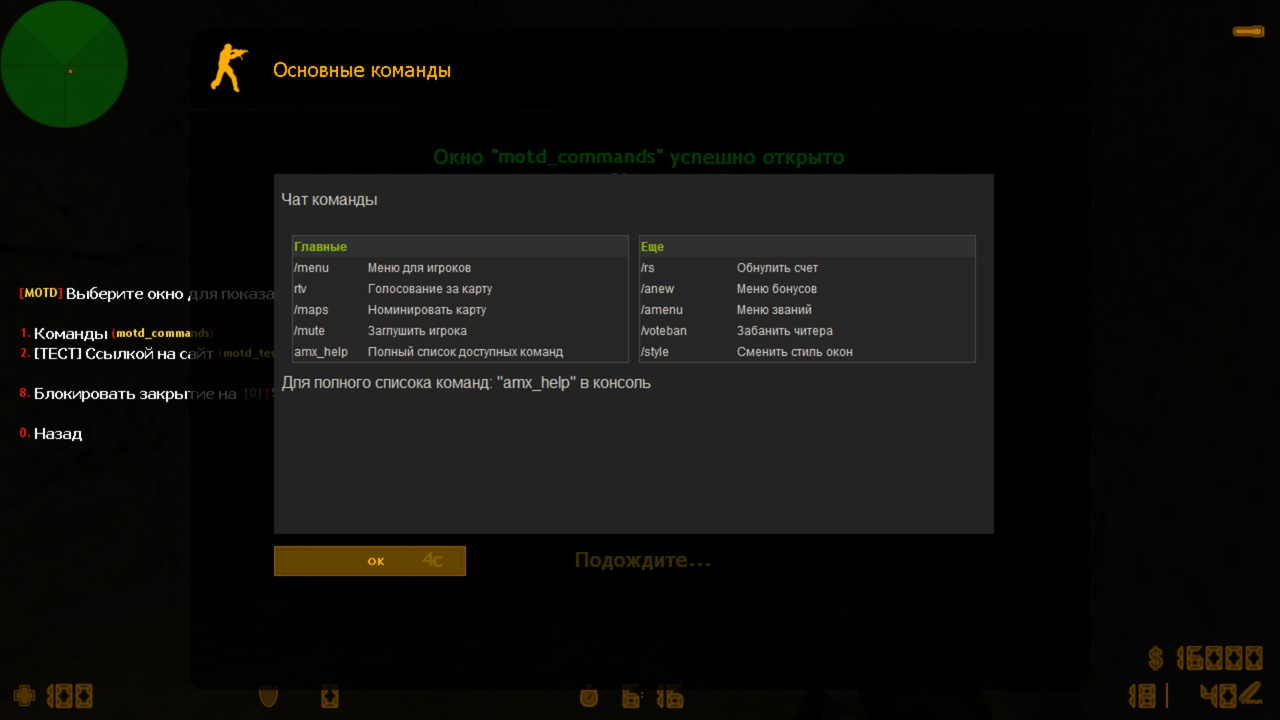
[motd_commands] "/commands" "1" "Основные команды" "Команды" ""
<!DOCTYPE HTML>
<html lang="ru">
<head>
<meta charset="utf-8">
<style>
table{width:100%;line-height:160%;}
</style>
%style%
</head>
<body>
<p>Чат команды</p>
<table cellspacing="10" cellpadding="0">
<tr>
<td width="48%" valign="top" class="q">
<table cellspacing="0">
<tr><th colspan="2">Главные</th></tr>
<tr ><td>/menu</td> <td>Меню для игроков</td></tr>
<tr class="b" ><td>rtv</td> <td>Голосование за карту</td></tr>
<tr ><td>/maps</td> <td>Номинировать карту</td></tr>
<tr class="b" ><td>/mute</td> <td>Заглушить игрока</td></tr>
<tr ><td>amx_help</td> <td>Полный список доступных команд</td></tr>
</table>
</td>
<td width="48%" valign="top" class="q">
<table cellspacing="0">
<tr><th colspan="2">Еще</th></tr>
<tr ><td>/rs</td> <td>Обнулить счет</td></tr>
<tr class="b" ><td>/anew</td> <td>Меню бонусов</td></tr>
<tr ><td>/amenu</td> <td>Меню званий</td></tr>
<tr class="b" ><td>/voteban</td> <td>Забанить читера</td></tr>
<tr ><td>/style</td> <td>Сменить стиль окон</td></tr>
</table>
</td>
</tr>
</table>
Для полного списока команд: "amx_help" в консоль
</body>
</html>
// Окно ссылкой на сайт
// Это просто пример, в документации есть код скрипта, на который ссылается данное окно
// Если делать окно именно ссылкой, то тут не будет ограничений на кол-во символов, можно будет сделать кликабельные ссылки на другое мотд и т.п.
// Простые окна можно создать обычным методом, но если что то большое или замудренное, то только ссылкой на сайт
[motd_test_link] "/test_link" "1" "ТЕСТ MOTD" "[ТЕСТ] Ссылкой на сайт" "u"
http://shop.fungun.net/motd/test.php?stylename=%stylename%&name=%name%&hostname=%hostname%&hostip=%hostip%
// Приветствие #1
// Будет показано при коннекте на сервер, так как стоит флаг "c" в последнем аргументе. Флаг "e" отключает эффекты при открытии этого окна.
// Можно поставить флаг "b" и убрать флаг "e", тогда окно откроется с эффектами и заблокируется на несколько секунд.
[motd_connect1] "" "1" "%hostname%" "Приветствие \r#1" "ce"
<!DOCTYPE HTML>
<html lang="ru">
<head>
<meta charset="utf-8">
<style>
table{width:100%;line-height:160%;}
img{width:100%;}
.label{background:#3498db;padding:.2em .6em .3em;font-size:75%;color:#fff;border-radius:.25em;}
.c{background:#d52927;width:7px;height:7px;border-radius:50%;display:inline-block;margin:0 5px;}
.r{line-height:0;}
</style>
%style%
</head>
<body>
<center><p style="font-size:22px;">Добро пожаловать на %hostname%</p></center>
<table cellspacing="10" cellpadding="0">
<tr>
<td width="42%" valign="top" class="q">
<table cellspacing="0">
<tr><th colspan="2">Краткие правила</th></tr>
<tr ><td><b class="c"></b> Не читерить!</td> <td>BAN</td></tr>
<tr class="b" ><td><b class="c"></b> Не кемперить!</td> <td>SLAY</td></tr>
<tr ><td><b class="c"></b> Микрофон 16+</td> <td>GAG</td></tr>
<tr class="b" ><td><b class="c"></b> Не оскорблять</td> <td>GAG</td></tr>
<tr ><td><b class="c"></b> Не флудить</td> <td>GAG</td></tr>
<tr class="b" ><td><b class="c"></b> Не юзать баги</td> <td>BAN</td></tr>
<tr ><td colspan="2"> </td></tr>
<tr class="b" ><td colspan="2">Наш сайт: <a class="label" href="http://site.ru">site.ru</a></td></tr>
</table>
</td>
<td width="56%" valign="top" class="q r">
<img src="http://shop.fungun.net/motd/connect.jpg">
</td>
</tr>
</table>
</body>
</html>
// Приветствие #2
// Покажется юзеру либо это окно при входе на сервер, либо предыдущее #1 (случайным образом)
// Тут окно будет ссылаться на php скрипт на сайте, где можно вывести статистику игрока например
// В документации возьмите пример кода connect.php и настройте под себя
[motd_connect2] "" "1" "%hostname%" "Приветствие \r#2" "ce"
http://shop.fungun.net/motd/connect.php?stylename=%stylename%&name=%name%&hostname=%hostname%&authid=%authid%
// Приветствие #3
// Покажет top15 из плагина StatsX Unlimited
// Не забудьте убрать флаг "d", так как это окно отключено по умолчанию
[motd_connect3] "" "1" "%hostname%" "Приветствие \r#3" "ced"
%statsx_top15%
// Приветствие #4
// Покажет rankstats из плагина StatsX Unlimited
// Не забудьте убрать флаг "d", так как это окно отключено по умолчанию
[motd_connect4] "" "1" "%hostname%" "Приветствие \r#4" "ced"
%statsx_rankstats%
/* Motd RBS Functions
*
* by SKAJIbnEJIb
*
* This file is provided as is (no warranties).
*/

#if defined _motd_rbs_included
  #endinput
#endif
#define _motd_rbs_included


// Вызывать перед show_motd в сторонних плагинах, для включения эффектов
native motd_set_effects(id);

// Вызывается перед показом MOTD игроку
//	id - айди игрока, которому будет показано окно
//	ident[] - идентификатор motd
//	header[] - заголовок окна, эту переменную можно редактировать, тем самым изменится заголовок
//	hen[] - длина массива header
//	buffer[] - код окна, эту переменную можно редактировать, тем самым изменится содержимое окна
//	ben - длина массива buffer
forward motd_open_pre(const id, const ident[], header[], hen, buffer[], ben);

// Вызывается после открытия MOTD
//	id - айди игрока, которому будет показано окно
//	ident[] - идентификатор motd
//	seconds - на сколько секунд включена блокировка окна
forward motd_open_post(const id, const ident[], seconds);

// Пример добавления своих переменных в motd
// Допустим вы хотите добавить вывод текущих фрагов игрока
// Придумываете и добавляете в motd_rbs.cfg в нужное место переменную, например %user_frags% в секцию [motd_example]
//	<h1>Пример</h1>
//	<p>У тебя фрагов: <b>%user_frags%</b></p>
//
// Далее создаете плагин, в него вставляете форвард motd_open_pre, который будет вызываться каждый раз, когда открывается окно игроку
// Получаете текущие фраги игрока, и заменяете в buffer[] нашу переменную %user_frags% на кол-во фрагов игрока
// Таким образом, можно быстро и просто вывести абсолютно что угодно в MOTD игроку
// Пример:
/*
public motd_open_pre(const id, const ident[], header[], hen, buffer[], ben);
{
	new frags[11]; num_to_str(get_user_frags(id), frags,10);
	replace(buffer, ben, "%user_frags%", frags);
}
*/
// Вот и все, подобным образом можно и заголовок изменить