|
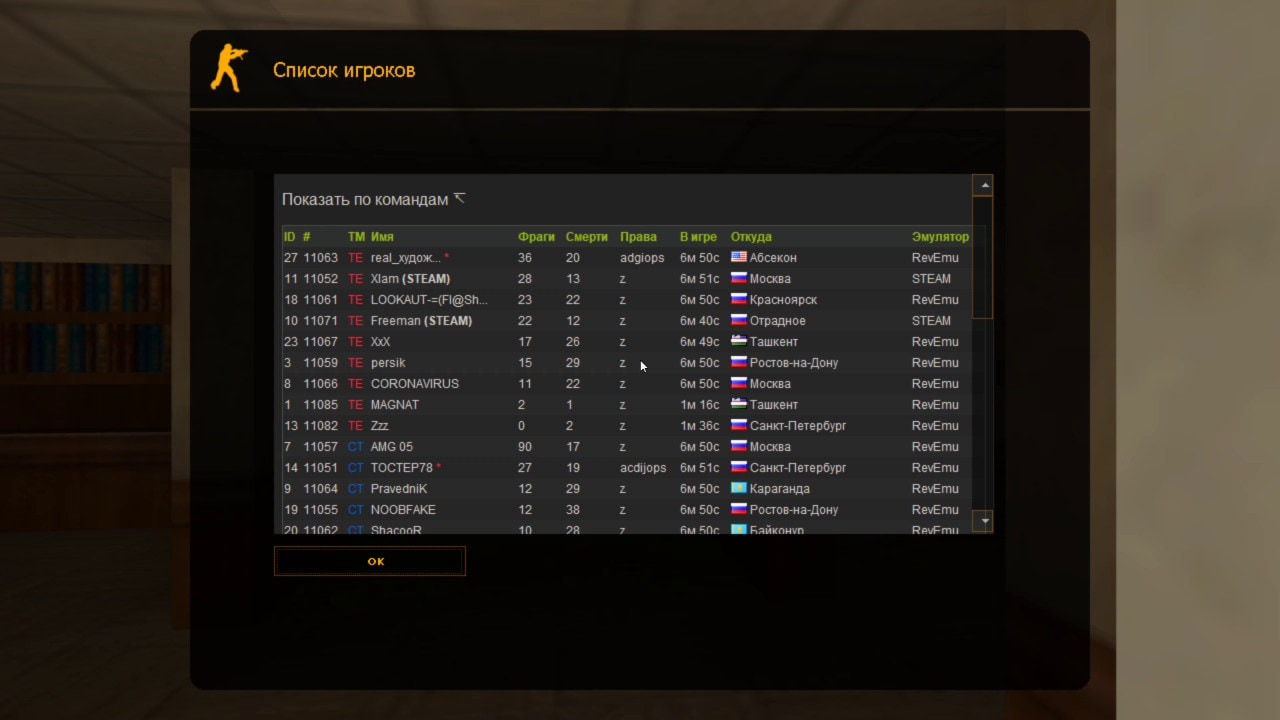
Thanks to this plugin, you can view detailed information about online players. By typing the command /whois in chat, an MOTD window opens showing all online players and their data. You can instantly see which city a player is from! But let’s go step by step. - The plugin can display the following data:
- id, userid, team, authid, steamid, bot/hltv, emulator, IP, current kills/deaths, time in-game, player permissions (flags), and most importantly, country, region, and CITY!
- If you have the CsStats MySQL plugin installed, this plugin can also show the player's stats!
- Despite the large amount of data, the MOTD window can fit ALL 32 PLAYERS!
- As you know, CS has a character limit for MOTD windows, so fitting all players in one window seems impossible. But we did it!?
- The plugin includes a web script that you upload to your site. Thanks to this, not only did we fit all players in the window, but we also enabled the ability to CLICK!
- Extremely convenient: you simply type /whois, click on a player’s nickname, and a page opens with all that player’s data. The plugin can display 3 different windows:
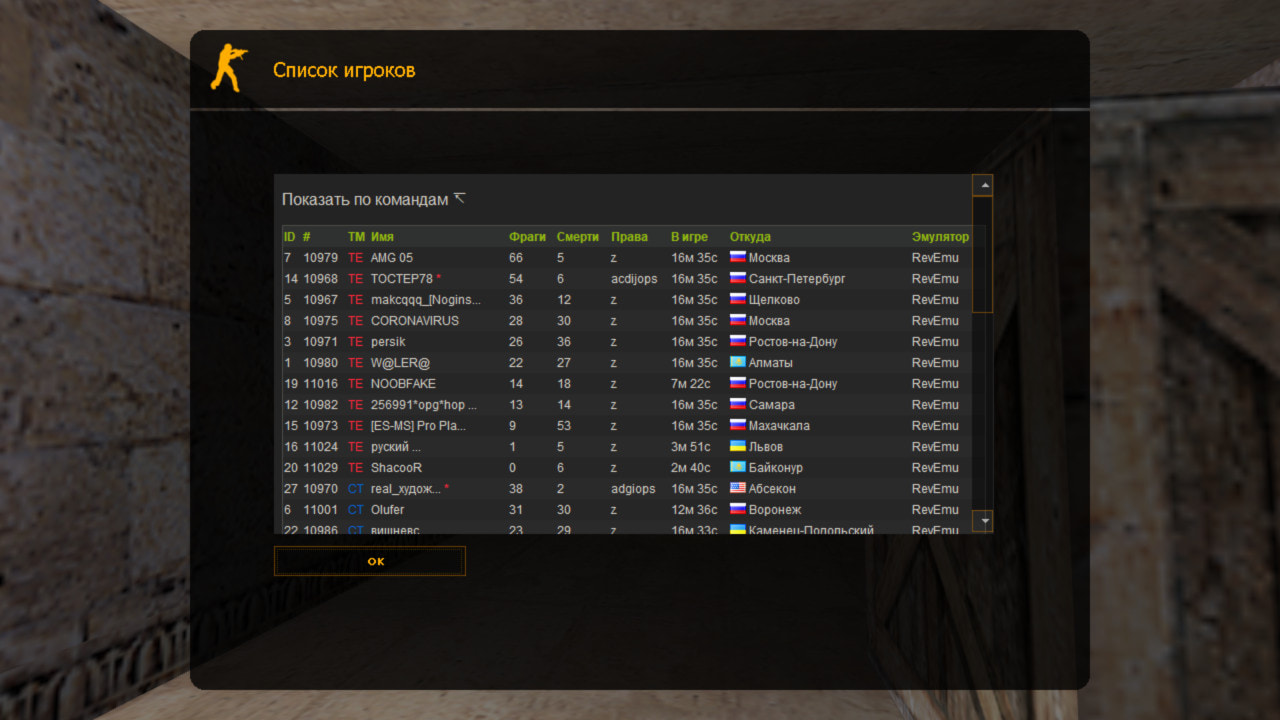
- All players in one table, listed. You can see essential data like city, IP, or user flags. With many players, scrolling can be inconvenient, so we added a second window type, accessible by clicking the table header.
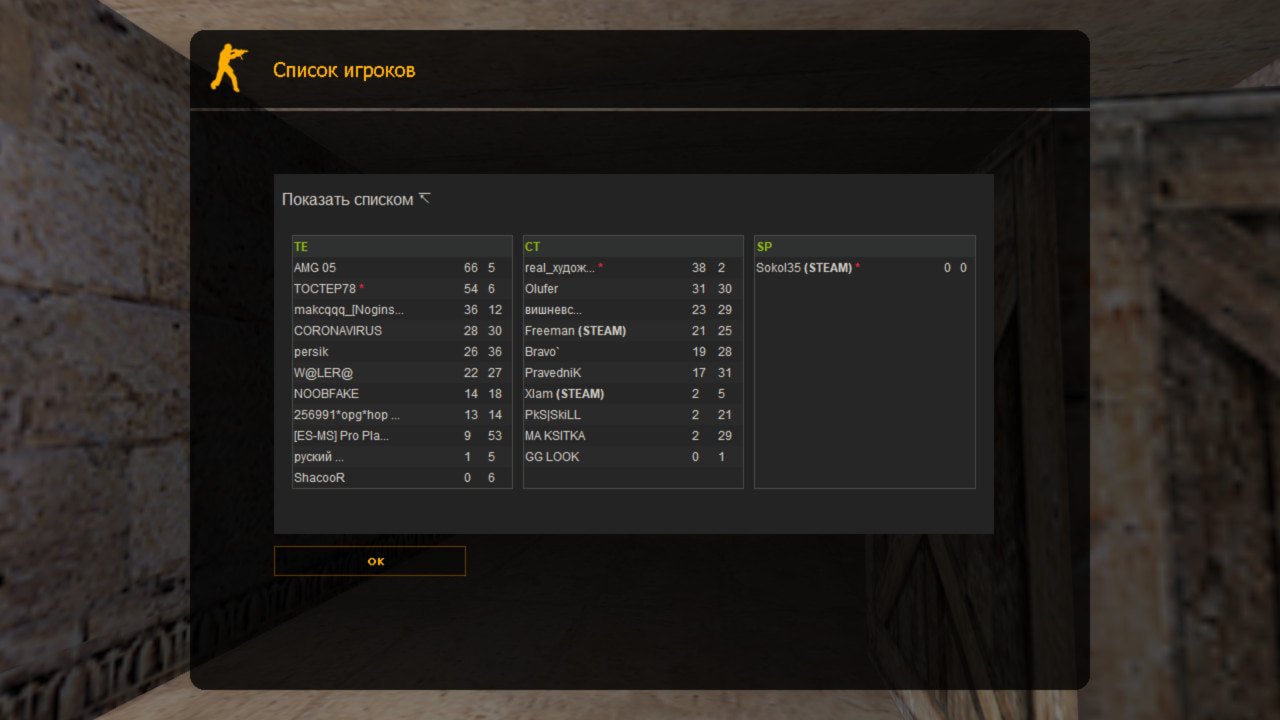
- Players divided into three tables (by team). This way, all 32 players fit on one screen without scrolling.
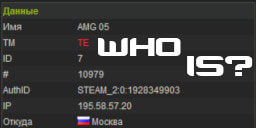
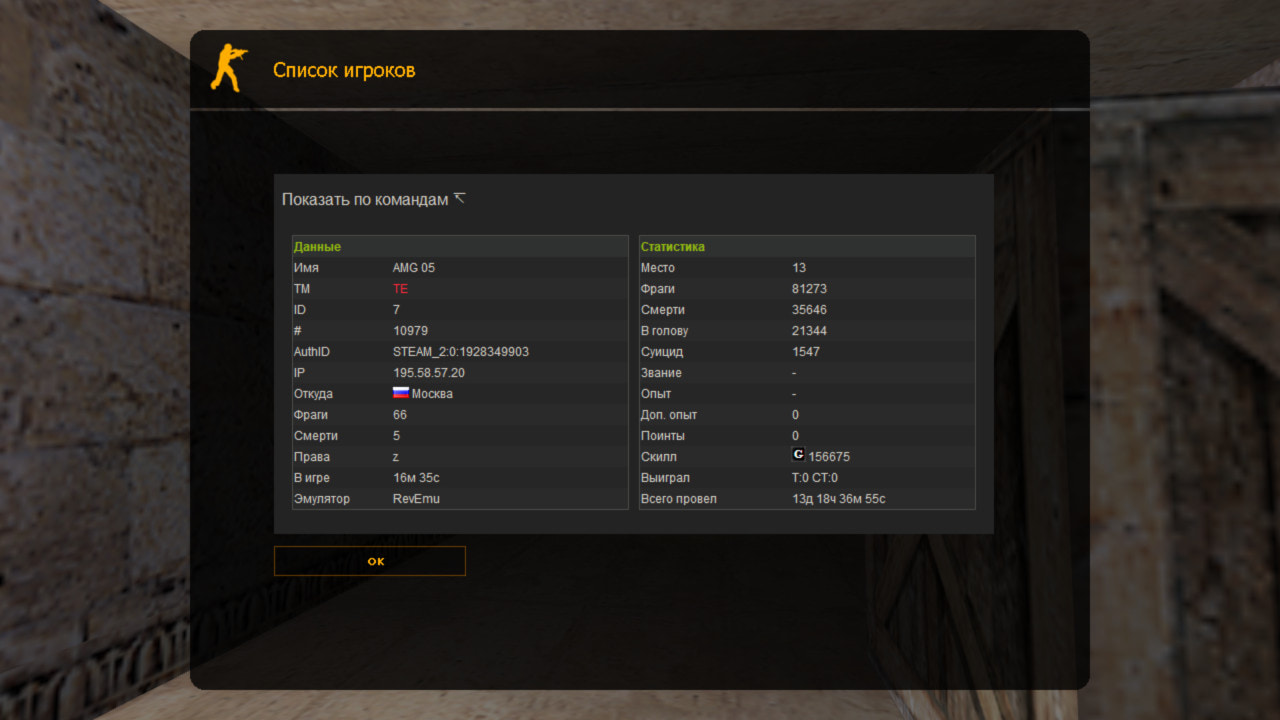
- A window with individual player data, which opens by clicking the player’s nickname.
- Styles! All our plugins using MOTD windows (Army Ranks Ultimate, StatsX RBS, Jobs RBS, etc.) have styles. Whois RBS is no exception. The /style command changes the window style in this plugin as well.
- Customizability. You can choose which data fields to display and even reorder columns. You can also restrict certain info, e.g., hide the city for regular players; instead, they will see an asterisk *
- Nickname trimming. Some players have very long nicknames that break the table layout and use extra characters for the web script. These nicknames are trimmed to 15 characters (configurable) with an ellipsis added...
- Sypex Geo. To determine the city by IP, the plugin uses the SXGeo database. It’s currently one of the best, being lightweight and very fast, only 7 MB compared to 50 MB for competitors. More info is available on their website.
- Natives and forwards for other plugins. Currently, the plugin doesn’t support this, but we plan to implement it. With natives, other plugins could display country or city info, such as Chat RBS and Ultimate Informer.
Check out an example of how it works in-game: WORKING DEMO |