You can log in to our site only via STEAM. If you don’t have a STEAM account, please register a free one on the official site steamcommunity.com, then click the button below to log in. Logged-in users have access to many features that make browsing our store more convenient. To purchase plugins, change your IP, or recover a key, logging in is not required.
By logging in to our website, you agree to the terms of our Privacy Policy
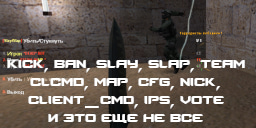
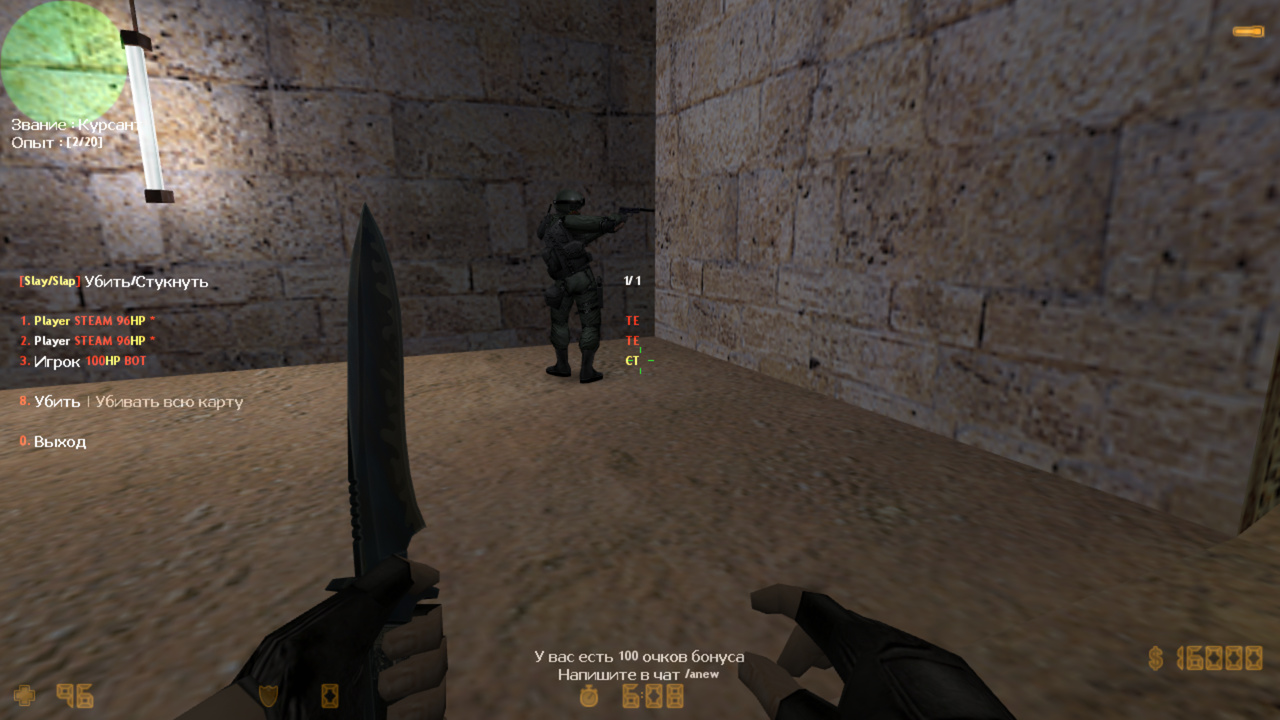
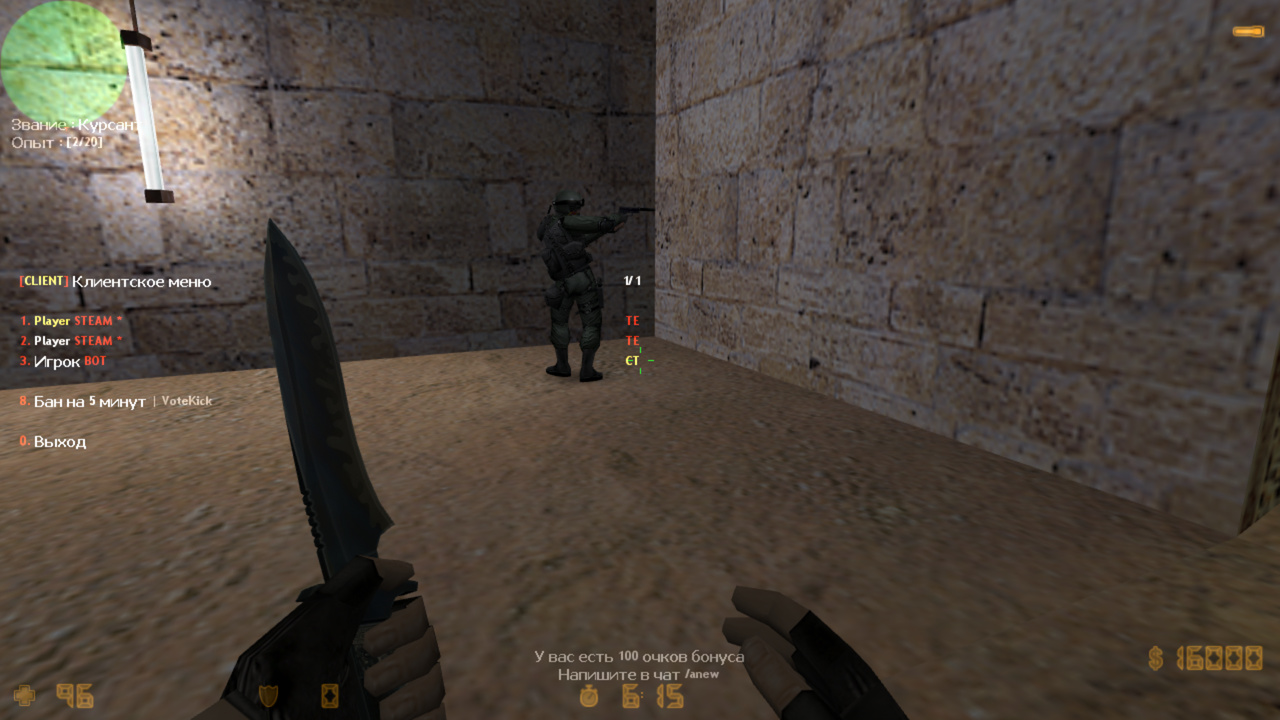
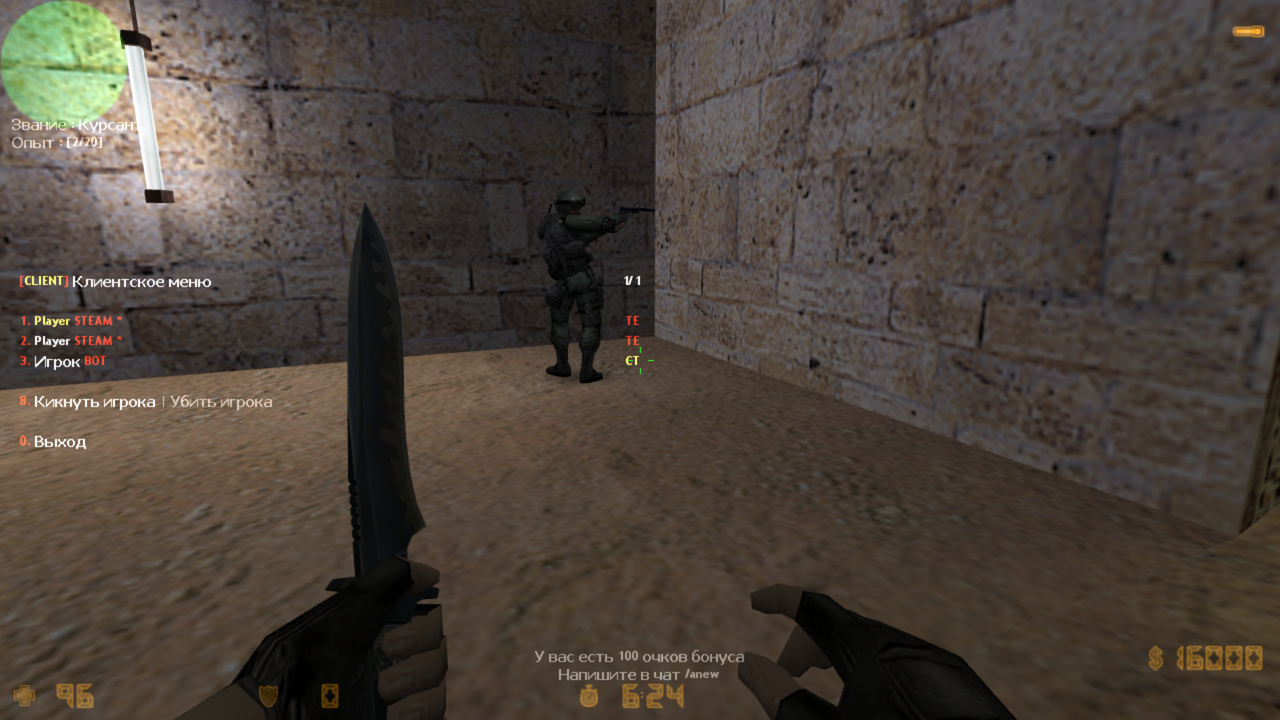
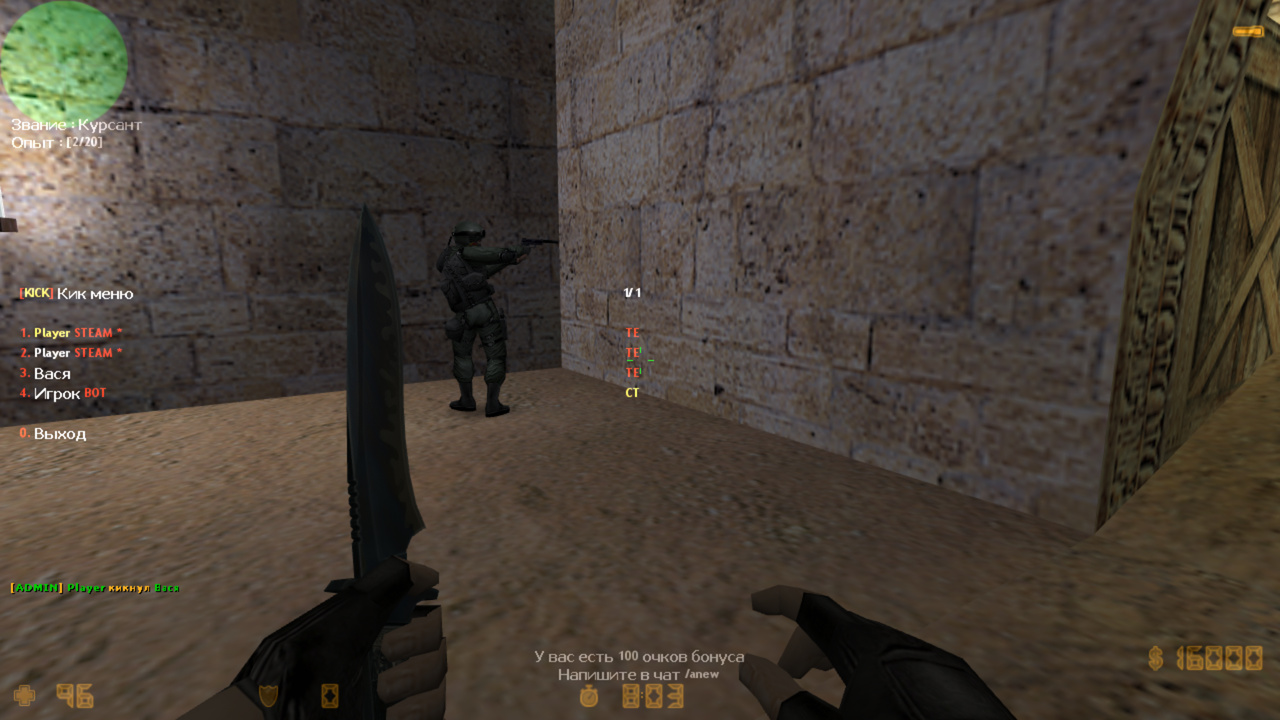
This plugin replaces most of the standard AMX Mod X commands and menus. Specifically, it replaces: admincmd.amxx, adminhelp.amxx, adminvote.amxx, plmenu.amxx These are plugins responsible for kick, ban, slay, slap, vote, team change, amx_plugins, and much more. They form the foundation for administrators. AdminCmd RBS adds stylish message outputs, beautiful menus, full Russian translation, speed, convenience, new features, and much more. Details below.
Convenience (players in menus are sorted by frags and team; various checks are implemented to prevent admins from breaking anything)
Customizability (new cvars in the config such as effects, logging, etc.; all texts are in the lang file and easy to modify; some old cvars were adjusted for convenience)
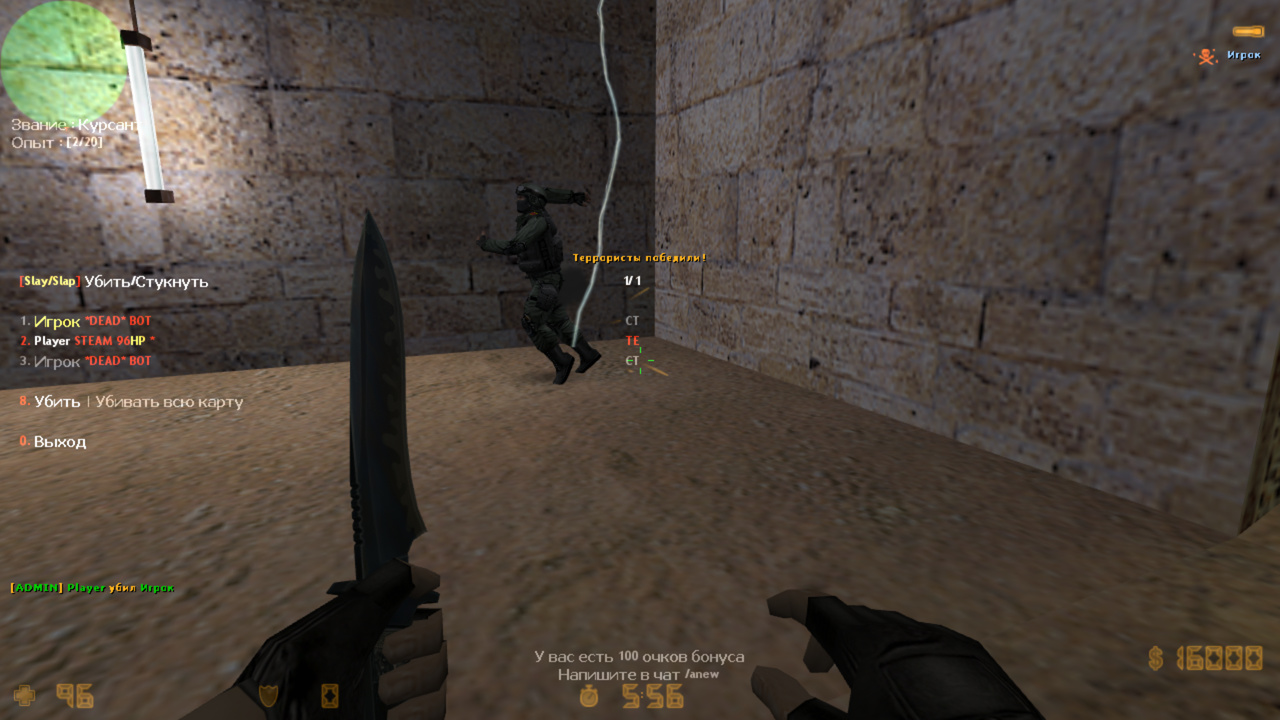
New possibilities (execute commands from the client console, lightning strike effect, slay the entire map for SteamID changers, slap restrictions, kick/ban reasons, main admin, etc.—see config)
Combining multiple plugins into one (the standard plmenu.amxx duplicated functions of admincmd.amxx; here it’s streamlined without extra code)
Logging (almost all plugin functions are logged, an essential feature for any head administrator)
Optimization (adding new features does not affect plugin performance)
Commands
amx_kick [reason] - kick a player with or without a reason amx_kickmenu - open kick menu
amx_ban [reason] - ban a player amx_banip and amx_addban - alternative commands to amx_ban amx_unban - unban by authid or IP amx_banmenu - open ban menu
amx_slay - kill a player amx_slaymap - kill a player across the entire map (designed for SteamID changers. The plugin tracks the player by IP and performs slay 1–5 seconds after the round starts, simulating admin action. The player thinks the admin keeps killing them and will eventually leave the server. It’s a clever trick to deal with cheaters.) amx_slap - reduce a player’s HP by a few points amx_slapmenu - open Slap/Slay menu
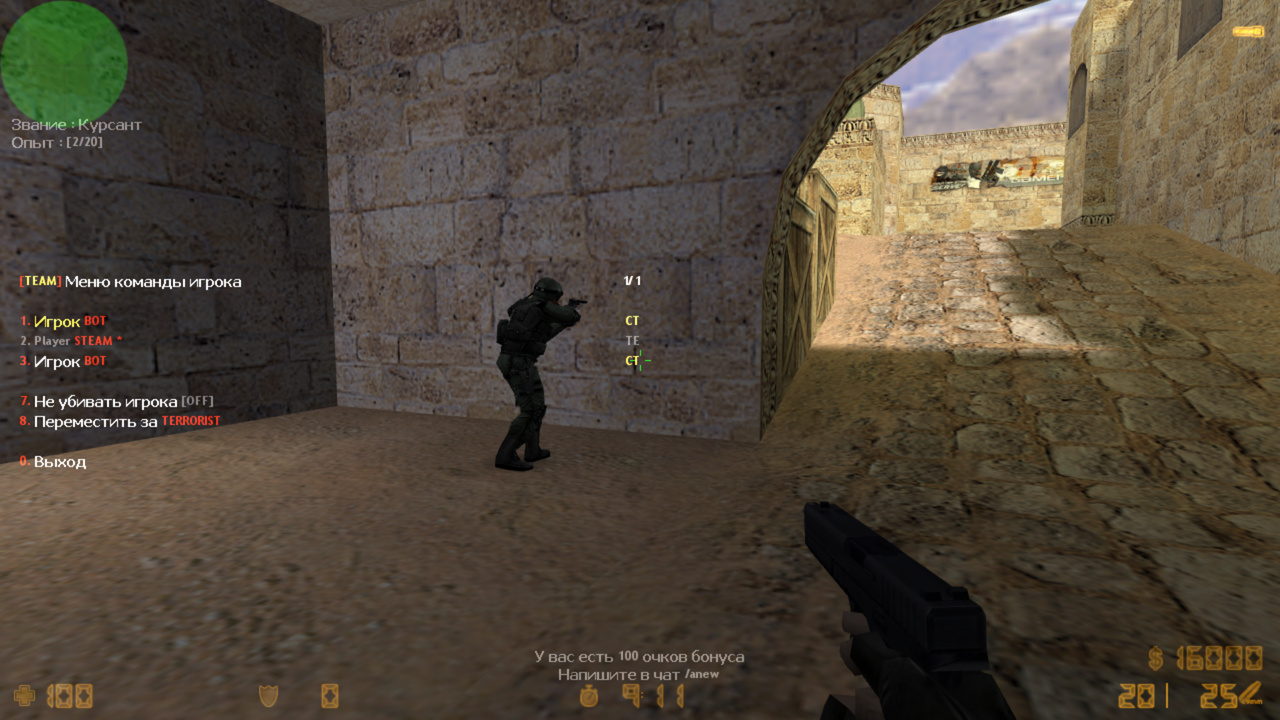
amx_teammenu - open team menu amx_clcmdmenu - open Client Cmds menu
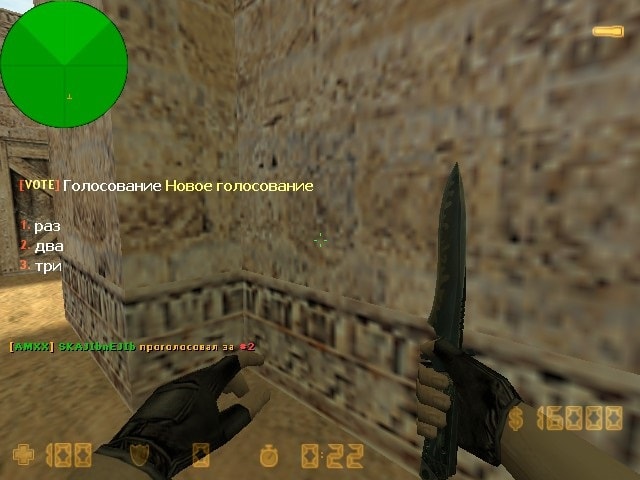
amx_votemap [map] [map] [map] - create a map change vote amx_votekick - create a vote to kick a player amx_voteban - create a vote to ban a player amx_vote - create any vote amx_cancelvote - cancel the last vote
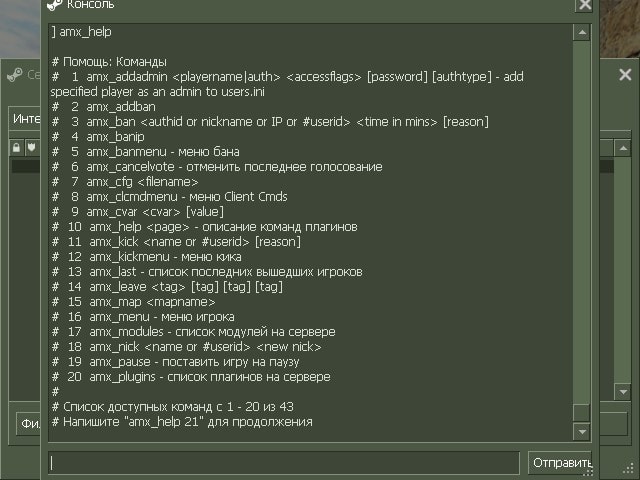
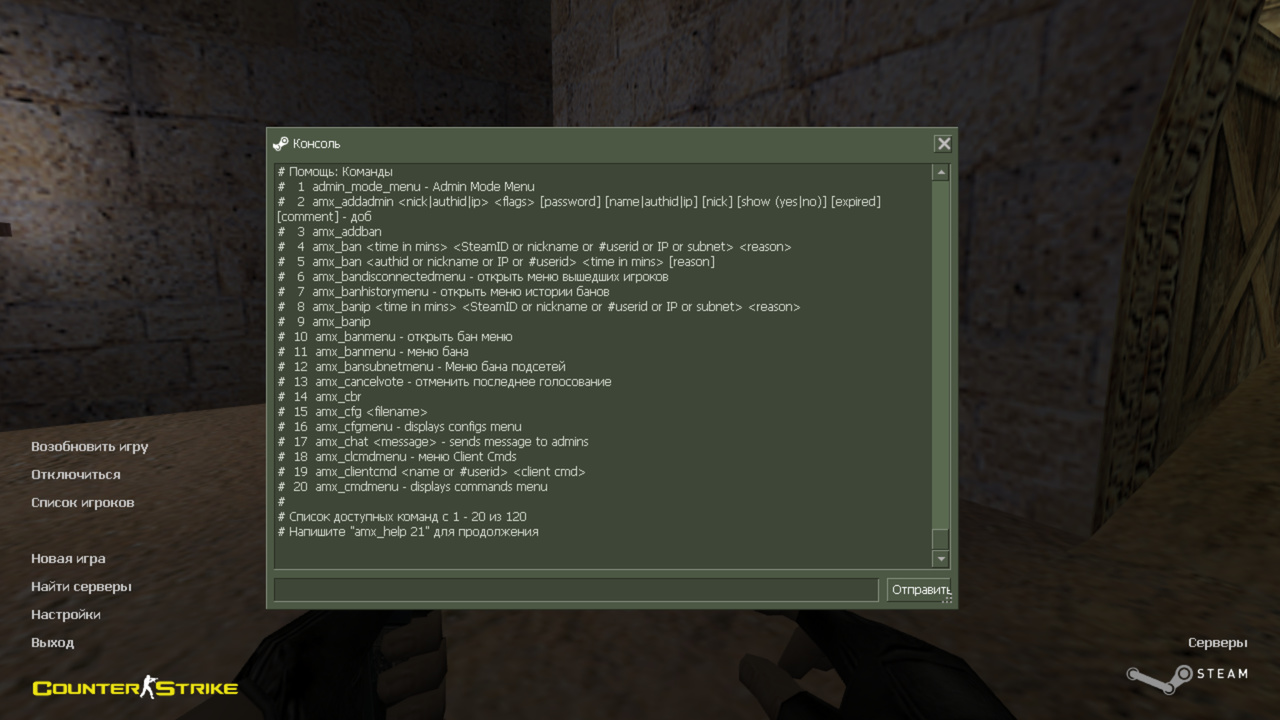
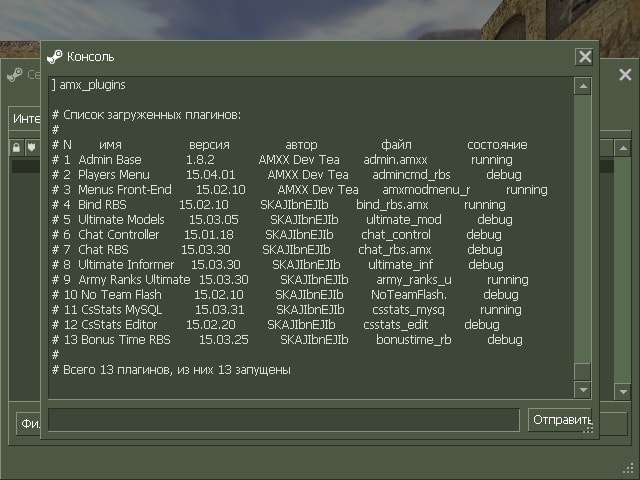
amx_leave [tag] [tag] [tag] - leave players with a specific tag on the server amx_pause - pause the game amx_who - list of players on the server amx_ips - list of player IPs on the server amx_plugins - list of plugins on the server amx_modules - list of modules on the server amx_help - plugin commands description amx_last - list of recently left players amx_cvar [value] - set cvar values amx_map - change the map amx_cfg - load a config amx_nick - change a player’s nickname amx_clientcmd - execute a command from the client console (admins must use responsibly, as this command can execute anything on a player’s console, even in Steam) amx_rcon - execute a server-side command amx_showrcon - change the server’s rcon password
26.01.20 - обновить ВСЕ ФАЙЛЫ
- обновлено ядро плагина
- добавлена полная мультиязычность, даже в конфигах (серверная команда fg_lang)
- добавлен форвард admincmd_transfer
- мелкие фиксы

22.11.15 - обновить .amxx
- релиз БЕТА версии
21.08.22BETA - обновить .amxx
- теперь запустить amx_swap можно из консоли сервера
- когда переносили игрока в спектаторы и обратно был баг, исправили

20.06.06 - обновить .amxx
- исправлен баг в slay меню, админы могли слэить админов

20.03.20 - обновить .amxx
- модифицирован квар amx_action_mainadmin, теперь можно указать несколько флагов с приоритетом (смотрите новое описание в конфиге)
- исправили команду amx_nick, теперь ник игрока меняется только на сервере, а не в его игре

19.11.29 - обновить .amxx
- удалили лишнюю строку из лога, которая при кике создавалась
- добавили фикс, исправляющий %s в сообщении по центру экрана на amx190
- добавили .amxx под 190

19.11.04 - обновить .amxx
- добавлена поддержка модуля authemu (в меню игроков показывает кто с GSCLIENT)
- добавлены квары amx_menu_steam и amx_menu_gsclient (вписывать в amxx.cfg), они включают/выключают в меню игроков надпись STEAM и GSCLIENT соответственно

19.02.22 - обновить .amxx и .cfg
- добавили квары amx_vote_ban_cmd, amx_vote_kick_cmd
- небольшое исправление косяков

18.09.15 - обновить .amxx, .cfg и lang файл
- добавлен квар amx_swap_flag и команда amx_swap (поменять местами команды игроков)
- изменен квар amx_kick_reason (более гибкие причины кика)
- добавлен квар amx_rcon_enable (запрещает использовать команду amx_rcon в целях безопасности)

18.03.25 - обновить .amxx (исправление косяков)
18.03.24 - обновить .amxx
- релиз бета версии
- увеличено иограничение текста на кик до 64-х символов

18.02.16BETA - обновить .amxx
- исправили отображение сервера в чате
- теперь меню игроков (slap,slay,kick и т.д.) преобразилось, игроки в нем сортируются по фрагам/смертям(как в TAB), первым пунктом в меню будет игрок, за которым наблюдаешь в данный момент, или если не наблюдаешь, то будет отображаться игрок, над которым было совершено какое либо действие. Подробнее позже, сейчас главное хорошо протестить, чтобы внедрить технологию во все менюшки всех наших плагинов

18.01.17BETA - обновить .amxx, .cfg и lang файл
- Изменен квар: amx_kick_reason "Микрофон 18+! | Не кемперить! | Оскорбления"
теперь вот так вот можно
- Увеличили размер строки для MENU_TEAM_**

17.12.25BETA - обновить .amxx, .cfg и lang файл
- Добавлен квар amx_transf_die
- Добавлены идентификаторы в ланг файл MENU_TEAM_**

17.10.30 - обновить .amxx
- Доработка привязки для поддержки некоторых хостингов

17.09.14 - обновить .amxx и lang файл
- убран баг с ML_NOTFOUND

17.08.09 - обновить .amxx, .cfg и lang файл
- Релиз стабильной версии. Описание изменений смотрите ниже. Юзерам последней беты достаточно обновить .amxx
17.07.25 BETA - обновить .amxx, .cfg и lang файл
- исправили баг с амхмодменю
- добавили квар amx_slap_time
17.07.13 BETA - обновить .amxx (небольшие исправления)
17.07.05 BETA - обновить .amxx
- Оптимизация привязки и в целом кода плагина. Плагин cкомпилирован для AMXX 1.8.2, AMXX 1.8.3 и для ReAMXX. Ключ от плагина сам перезапишется в файл fg_keys.ini и в нем будут находится все ключи от других плагинов. Все логи теперь пишутся на русском языке.
- Добавлено больше логирования

16.11.25 - обновить .amxx
- поддержка амх1.8.3
15.07.15 - обновить .amxx
- Немного изменена технология проверки ключей
- Теперь есть отдельный файл настроек в amxmodx/data/fg_settings.ini(файл сам создастся при первом включении). В файле присутствует описание кваров, если хотите, можете изменить настройки. В этом же файле теперь прописывается почта для плагина FunGunUpdater
- Всего 6 зеркал для проверки ключей
15.05.22 - обновить амхх. и .cfg
- Добавлен квар для установки главного админа, который может производить любые действия в не зависимости от наличии иммунитета у игроков
15.04.08 - обновить амхх. и .cfg
- исправлена ошибка в логах
- добавлен квар amx_show_mainadmin
- добавлена команда amx_ips
15.04.02 - релиз
Category
Administrator
To see the plugin in action, go to the "Find a server with this plugin" section in the menu
This plugin has a 1$ discount on your second purchase.
If you have already bought this plugin before, you will get it for 1$ less for the second and any additional server!
// RU: Для перевода файлов плагина используйте серверную консольную команду: fg_lang
// Лицензионный ключ вводить в файл amxmodx/data/fg_keys.ini (если файла нет, он создастся сам при рестарте/смены карты сервера)


///////////////////////////////
// НОВЫЕ КВАРЫ ДЛЯ НАСТРОЙКИ //
///////////////////////////////

// Вести логи действий админов (кто кого кикнул, поменял команду и т.д.)
amx_cmdlogs "1"

// Возможность писать причину, при выборе игрока в меню кика
//	0 - кикать без причины (сразу)
//	1 - админ пишет причину при кике (сразу)
//	"причины через |" - укажите тут причины разделяя их символом |
//		0:\yБез причины - кикнет без указания причины
//		1:\rСвоя причина - написать причину вручную
amx_kick_reason "Микрофон 18+! | Не кемперить! | Оскорбления^n | 1:\yСвоя причина | 0:\rБез причины"

// Возможность писать причину, при выборе игрока в меню БАНА
amx_ban_reason "0"

// Эффект молнии при убийстве slay
amx_slay_effect "1"

// Через сколько секунд можно повторно использовать slap
//	0 - можно всегда
amx_slap_time "0"

// Через сколько секунд после захода на сервер, писать сообщение о команде amx_help
//	0 - отключить
amx_help_displaymsg "0"

// Сколько пунктов на странице выводить в команде amx_help и amx_plugins 1
amx_nextitems "20"

// Действия админа с этим флагом не будут показываться в чат, в не зависимости от команды amx_show_activity
amx_show_mainadmin "0"

// Админ с этим флагом может кикать и банить игроков с иммунитетом
// Можно указывать несколько флагов, например lmd:
//  Админ с флагом "l" может банить админов с флагом "m", а они могут только админов с флагом "d". Админы с флагом "d" могут банить всех остальных, у кого нет иммунитета.
amx_action_mainadmin "l"

// Админ с этим флагом может перемещать игроков за команду, не убивая их
// Создается еще один пункт в меню, в котором можно выбрать, убивать или нет
//	0 - отключить
amx_transf_die "l"

// Флаг админа, который может использовать консольную команду amx_swap
// amx_swap - поменять местами команды игроков
amx_swap_flag "l"

// Разрешить для флага l(ADMIN_RCON) пользоваться командами: amx_rcon и amx_showrcon
// В целях безопасности, лучше выключить этот квар. Если Вам действительно очень нужны команды amx_rcon и amx_showrcon, то включите квар
amx_rcon_enable "0"

///////////////////////
// КВАРЫ ИЗ AMXX.CFG //
///////////////////////

// Эти квары уже прописаны по умолчанию в amxx.cfg
// Но для удобства они дублированы в этот конфиг,
// так как эти квары отвечают за функции в данном плагине

// Отображение действий админов в чате
//	0 - отключить
//	1 - показать всем без ника админа
//	2 - показать всем с ником админа
//	3 - показать всем. Админам с ником админа. Игрокам без ника админа.
//	4 - показать только админам, с ником админа
//	5 - показать только админам, без ника админа
amx_show_activity "2"

// Время бана (для amx_banmenu)
//	0 - бан навсегда
amx_plmenu_bantimes 0 5 10 15 30 45 60

// Значения slay/slap (в amx_slapmenu)
//	-1 - slay (убить)
//	-2 - slaymap (убивать всю карту)
//	N - на сколько HP ударить
amx_plmenu_slapdmg -1 -2 0 5 99

// Консольная команда, при голосовании за кик или бан (amx_voteban/amx_votekick)
// В зависимости от вашей бан системы, напишите команду бана (по умолчанию стоит как для AMXBans подобных)
// %userid% - айди игрока
amx_vote_ban_cmd "amx_ban 30 #%userid% 'admin voteban'"
amx_vote_kick_cmd "kick #%userid% 'admin votekick'"

// Минимальная задержка между двумя голосованиями
amx_vote_delay "5"
// Время отведенное на ответ при голосовании(в секундах)
amx_vote_time "10"
// Показывать, кто за что проголосовал.
amx_vote_answers "1"
// Процент проголосовавших для кика пользователя с сервера при использовании votekick
amx_votekick_ratio "0.40"
// Процент проголосовавших для бана пользователя с сервера при использовании voteban
amx_voteban_ratio "0.40"
// Процент проголосовавших для смены карты на сервере при использовании votemap
amx_votemap_ratio "0.40"
// Процент проголосовавших для положительного результата в голосовании vote
amx_vote_ratio "0.02"


//////////////////////////////////
// Консольные команды (Памятка) //
//////////////////////////////////

// Список консольных команд для обычных игроков и для админов
// (здесь они написаны просто так, как памятка)

// amx_kick <name or #userid> [reason] - кикнуть игрока с причиной или без
// amx_kickmenu - открыть меню кика
//
// amx_ban <authid or nickname or IP or #userid> <time in mins> [reason] - забанить игрока
// amx_banip и amx_addban - аналоги команды amx_ban
// amx_unban <authid or ip> - разбанить по authid или ip
// amx_banmenu - открыть меню бана
//
// amx_slay <name or #userid> - убить игрока
// amx_slaymap <name or #userid> - убивать игрока всю карту
// amx_slap <name or #userid> <damage> - ударить игрока на несколько HP
// amx_slapmenu - открыть Slap/Slay меню
//
// amx_teammenu - открыть меню команд
// amx_clcmdmenu - открыть меню Client Cmds
// amx_swap - поменять местами команды игроков
//
// amx_votemap <map> [map] [map] [map] - создать голосование за смену карты
// amx_votekick <name or #userid> - создать голосование за кик игрока
// amx_voteban <name or #userid> - создать голосование за бан игрока
// amx_vote <question> <answer#1> <answer#2> <answer#N> - создать любое голосование
// amx_cancelvote - отменить последнее голосование
//
// amx_leave <tag> [tag] [tag] [tag] - оставить на сервере игроков с определеннным тэгом
// amx_pause - поставить игру на паузу
// amx_who - список игроков на сервере
// amx_plugins - список плагинов на сервере
// amx_modules - список модулей на сервере
// amx_help - описание команд плагинов
// amx_last - список последних вышедших игроков
// amx_cvar <cvar> [value] - установить значение кваров
// amx_map <mapname> - сменить карту
// amx_cfg <filename> - загрузить конфиг
// amx_nick <name or #userid> <new nick> - изменить ник игроку
// amx_clientcmd <name or #userid> <client cmd> - ввести команду от консоли клиента
// amx_rcon <command> - выполнить команду от имени сервера
// amx_showrcon <command> - показать/изменить rcon пароль сервера
/* RU:AdminCmd RBS Functions
*
* by SKAJIbnEJIb
*
* This file is provided as is (no warranties).
*/

#if defined _admincmd_rbs_included
	#endinput
#endif
#define _admincmd_rbs_included


/**
 * Вызывается при перекидывании игрока в другую команду
 * Можно заблокировать возвратив PLGUGIN_HANDLED
 *
 * @param admin_id			админ
 * @param player_id			игрок
 */
forward admincmd_transfer(admin_id, player_id);

/**
 * Вызывается при вызове команды amx_swap для каждого игрока отдельно
 * Можно заблокировать возвратив PLGUGIN_HANDLED
 *
 * @param admin_id			админ
 * @param player_id			игрок
 */
forward admincmd_swap(admin_id, player_id);